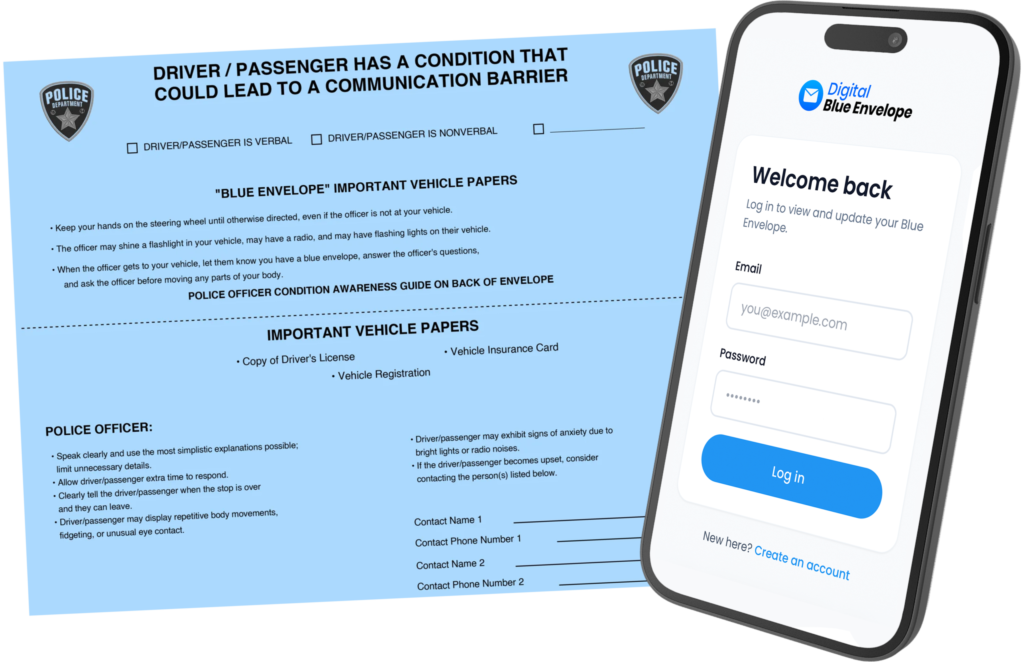
The Blue Envelope Program is a simple tool designed to help individuals, families and caregivers prepare for interactions with law enforcement before they happen.
Used by over 25 Pennsylvania police departments
The Blue Envelope Program is currently being used in 18 Pennsylvania counties
Hover over each county to see details
18 Counties Currently Use The Blue Envelope
49 Counties Do Not Yet Use The Blue Envelope
How The Blue Envelope Works
The Blue Envelope is a simple tool designed to help individuals with autism or other communication barriers prepare for interactions with law enforcement before they happen. For many people a traffic stop is routine, but bright lights, loud sounds, unfamiliar surroundings, and questions that demand quick answers can make these moments overwhelming. Preparation is what makes the difference. By organizing key information ahead of time, the envelope reduces anxiety and helps everyone communicate more clearly when it matters most.
Why Go Digital?
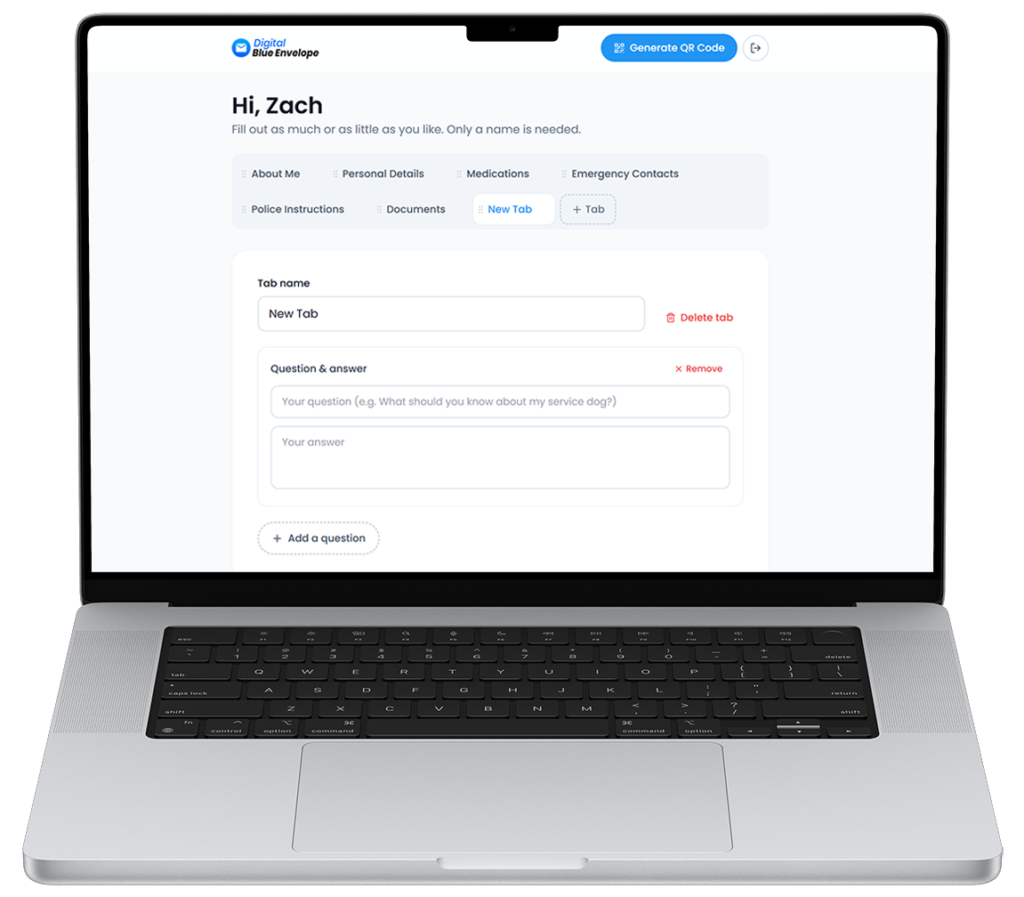
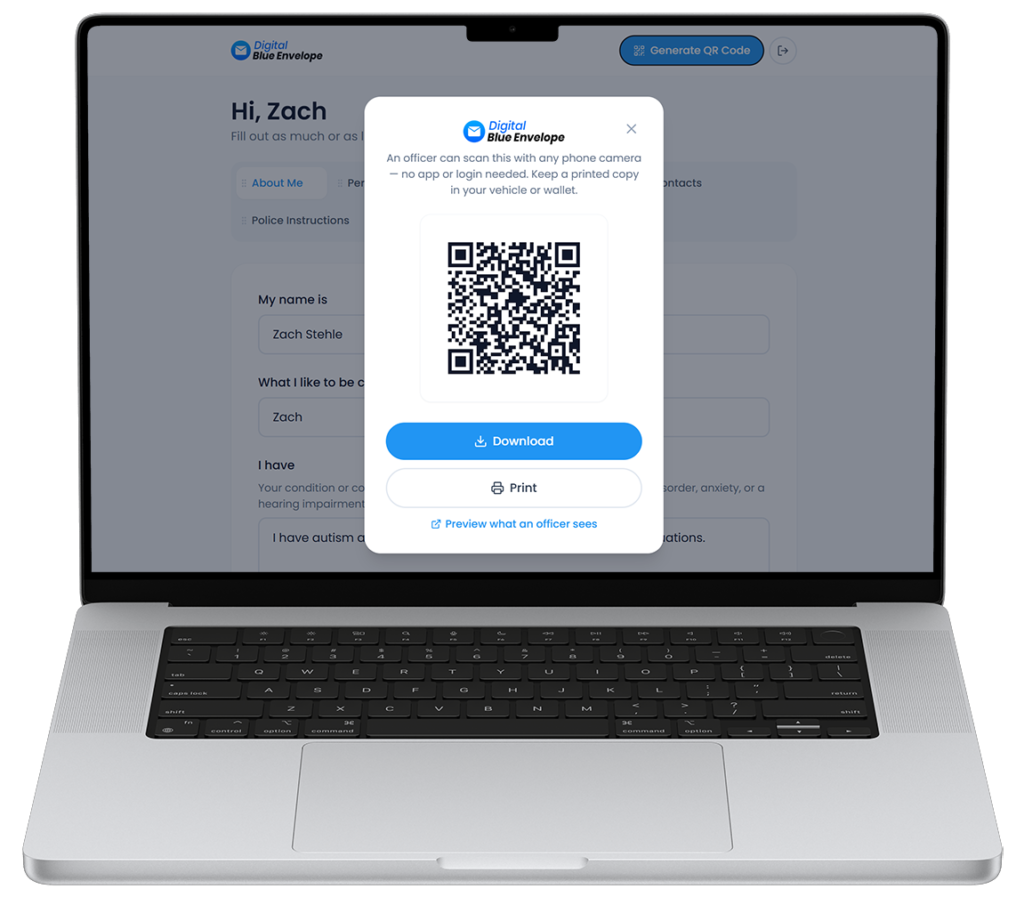
The Digital Blue Envelope works the same way as the physical version, just from your phone. To get started, go online and create an account, then add photos of the documents you would normally show during a traffic stop, such as your driver’s license, insurance, and registration, along with your name. The system then generates a QR code that links directly to your secure profile, which you can show to an officer in the moment it is needed.
Commonly Asked Questions
What is the Blue Envelope Program?
The Blue Envelope is a simple tool designed to help individuals with autism or other communication barriers prepare for interactions with law enforcement. It holds important documents and information in one place, helping reduce anxiety and improve communication during a traffic stop or similar encounter.
Who is the Blue Envelope for?
It is for anyone who may find interactions with law enforcement stressful or difficult to navigate, including individuals with autism, communication challenges, or other invisible disabilities. It can be used by drivers as well as passengers.
What should I put inside the Blue Envelope?
Place key documents such as a driver’s license, registration, and proof of insurance inside. You can also include emergency contact information and any notes that help an officer better understand the individual’s communication needs.
How do I use the Blue Envelope during a traffic stop?
If you are pulled over, take a deep breath, pull over safely, and remain calm. When appropriate, let the officer know you have a Blue Envelope and follow their instructions. The envelope helps share information that might be hard to explain in a stressful moment.
Where should I keep the Blue Envelope?
Keep it somewhere easy to access. Many people store it with their vehicle documents so everything is together in one place.
Does the Blue Envelope change my rights or guarantee a certain outcome?
No. The Blue Envelope does not change anyone’s rights or responsibilities, excuse unlawful behavior, or guarantee a particular outcome. It simply helps begin a conversation and improve understanding.
Do I need a diagnosis or paperwork to get a Blue Envelope?
No formal diagnosis or proof is required. The program is meant to be accessible to anyone who feels it would help them communicate more confidently.
Should I practice using the Blue Envelope?
Yes. Practicing is one of the most valuable parts of the program. Talk through different scenarios, decide where the envelope will be kept, and rehearse how it will be handed to an officer. The goal is not to memorize a script but to build familiarity and confidence.
What is a Digital Blue Envelope?
A Digital Blue Envelope is an online version of the program. Instead of a physical envelope, you create a digital profile with all your important information, and the system generates a QR code for you. When the code is scanned, it automatically opens a secure online page containing that information, making it quick and easy to share.
How do I get a Blue Envelope or create a Digital Blue Envelope?
You can request a physical Blue Envelope or set up a Digital Blue Envelope through the program. Once you have it, take a few minutes to fill in your information and practice using it, so you are prepared before the moment you need it.